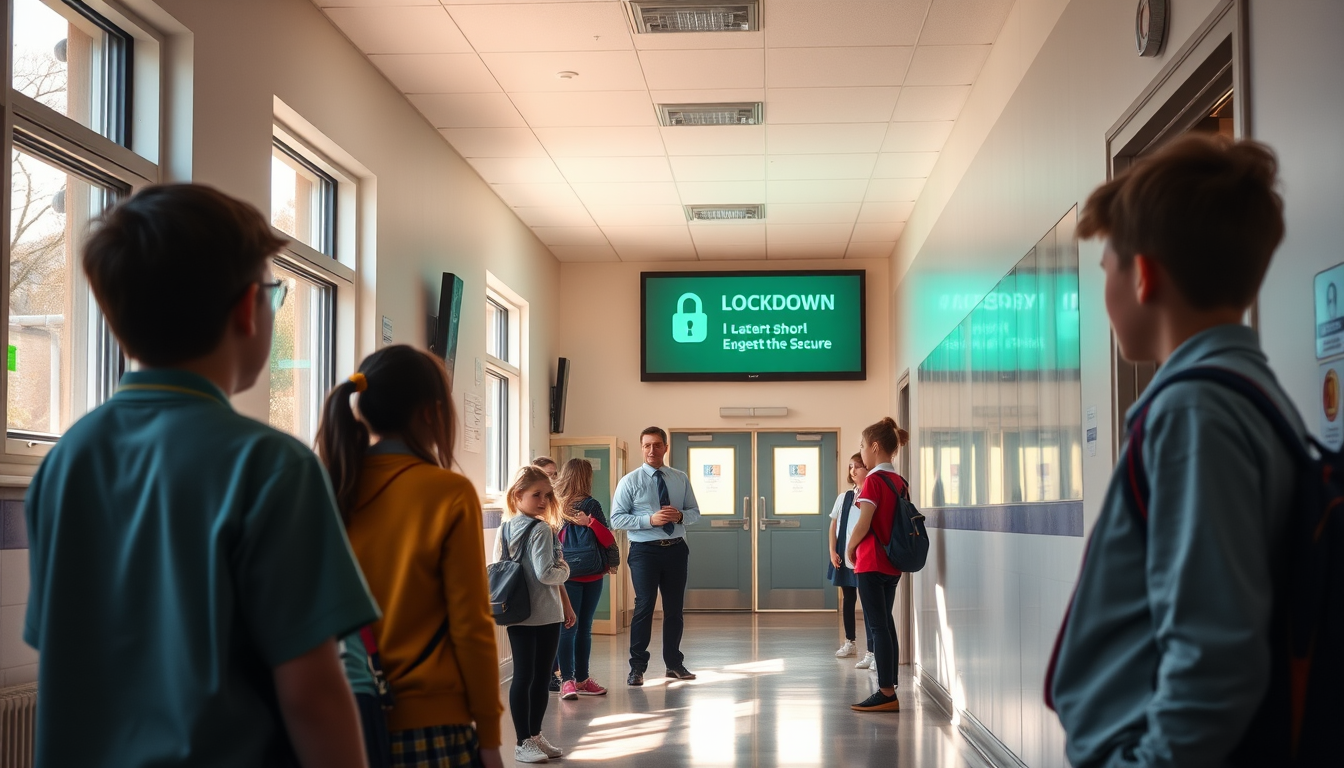
Lockdown alert system benefits: what a site-wide screen alert gives schools and businesses
The main benefits of a lockdown alert system are that everyone on site sees the same instruction at the same moment, anyone can start it from a desk phone, panic button or email, and every alert and drill is recorded. Lockdown Alert puts a full-screen lockdown message on every PC, Mac, phone, tablet and wall screen at a site within seconds. It supports the communication part of a lockdown procedure and works alongside PA systems, bells, radios and verbal commands.
Table of contents
- Key takeaways
- What are the main benefits of a lockdown alert system?
- How does a lockdown alert system work?
- Why add screen alerts if you already have a PA or bell?
- How do drills and records help?
- What does Martyn's Law mean for lockdown alerts?
- How much does a lockdown alert system cost?
- What should you check before choosing a system?
- FAQs
- How can you try a lockdown alert system on your own site?
Key takeaways
- A lockdown alert system shows the same message on every enrolled screen at a site within seconds, so staff do not have to rely on a single voice or a single device.
- Lockdown Alert can be started by dialling a number on a desk phone, pressing a panic button, sending an email or clicking once in the portal.
- Drills appear in amber with a TEST badge, and an ALL CLEAR stands every screen down, so a practice cannot be mistaken for a real event.
- The Martyn's Law Act does not require any particular product, and a screen alert supports communication alongside a PA, radios and verbal commands rather than replacing them.
- Lockdown Alert starts with a 30-day free trial with no card, then costs from £350 per site per year, with data hosted in the UK.
What are the main benefits of a lockdown alert system?
The main benefits are speed of communication, more ways to raise the alarm, consistent wording and a record of what happened. Each one addresses a weakness that shows up in real lockdown plans: messages that reach only part of a building, alarms that depend on one person being at one desk, and practices nobody can evidence afterwards.
| Benefit | What it means in practice |
|---|---|
| One message everywhere | Every enrolled PC, Mac, phone, tablet and screen with a browser at the site shows the lockdown message full screen within seconds. |
| Several ways to start | A lockdown can begin from a desk phone, a panic button, an email, the portal, a door intercom button or a CCTV alarm rule. |
| Your own wording | The site chooses its own message, colours and sound, so staff see instructions they have already agreed. |
| Clear drills | Drills show in amber with a TEST badge, so a practice looks different from a real lockdown. |
| A stand-down | ALL CLEAR clears every screen at once, or the alert closes at the auto-close time you set. |
| A record | The portal logs who started each alert or drill, when, how many screens showed it and when it cleared. |
How does a lockdown alert system work?
A person triggers the alert, and every enrolled screen at that site goes full screen with the lockdown message and sound until someone sends ALL CLEAR or the auto-close time is reached. Lockdown Alert is a UK service operated from Leeds, and it is built to run on equipment a site usually already has.
There are several ways to start an alert, so the quickest option for the person nearest the problem is always available:
- Dial the lockdown number on any desk phone.
- Press a wireless panic button, for example one fixed under a desk.
- Send an email to your lockdown address.
- Tap the red button in the web portal.
- Press a button on a door intercom.
- Let a CCTV alarm rule start it.
On the receiving end, the Lockdown Alert service works across Windows PCs, Macs, phones, tablets and TVs. Where there is an app, you install it. Where there is not, such as a wall display, you open the display page in any web browser.
IT teams managing many machines can use the Intune deployment guide to roll out the app. The integrations page lists what Lockdown Alert connects to.
Why add screen alerts if you already have a PA or bell?
Screen alerts add a second, silent-capable route to the same people, and they cover the places a PA or bell does not reach well. They do not replace a PA. Lockdown Alert works alongside PA systems, bells, radios and verbal commands, all of which stay part of any plan.
Think about where a spoken or audible message can fail:
- Noisy spaces. A workshop, sports hall or canteen can drown out a tannoy.
- Closed doors. Someone in a meeting room or a one-to-one session may not hear a distant announcement.
- Unclear wording. A bell tells people something is happening, but it does not say what to do. A screen can carry your exact instruction.
- Out-of-the-way staff. Office, admin and finance teams often sit at a screen all day and see a full-screen message straight away.
The Home Office's statutory guidance for Martyn's Law describes lockdown as securing premises to prevent people entering or leaving, for example by locking doors, closing shutters or using barriers. A screen alert does none of that physical work. Its job is to tell people quickly that it is happening, so they can act on the plan you have already made. Our lockdown procedure guide covers the steps a good protocol should include.
How do drills and records help?
Drills help because a practice that looks and sounds different from the real thing keeps people calm, and records help because you can show governors, trustees or inspectors what you practised. Lockdown Alert supports both.
A drill in Lockdown Alert always appears in amber with a TEST badge, and ALL CLEAR stands every screen down. That means a Tuesday morning practice is clearly a practice, and nobody has to wonder whether it is real. Staff can rehearse the same wording and the same sound they would see in a genuine event.
The portal then records each alert or drill: who started it, when, how many screens showed it and when it cleared. That gives a site manager something concrete to bring to a governors' meeting or an inspection, instead of relying on memory or a handwritten note. It also makes gaps easy to spot, for example if fewer screens showed a drill than you expected.
If you run lockdowns in schools, the page on the school lockdown system explains how this fits school routines. Businesses can see the panic button and desktop alert system page.
What does Martyn's Law mean for lockdown alerts?
Martyn's Law is the Terrorism (Protection of Premises) Act 2025, and it does not require any particular product or equipment, so a lockdown alert system is one way to support your communication, not a legal requirement. The Act received Royal Assent on 3 April 2025 with an implementation period of at least 24 months. The Security Industry Authority (SIA) is the regulator and has said it expects the duties to start in spring 2027, but no date is confirmed.
Premises where 200 to 799 people can be present fall into the standard tier, and 800 or more fall into the enhanced tier. According to Wikipedia's article on Martyn's Law, the legislation is the common name for this Act. Schools are always standard tier. The standard tier asks for public protection procedures: evacuation, invacuation, lockdown, and communicating with people on site.
That last part is where Lockdown Alert fits. It helps schools and businesses prepare, and it supports the communication element of their procedures. It does not make a premises meet the law on its own, and your plan still needs people, rehearsals and the right physical measures. For the detail on who is covered and what to prepare, read our Martyn's Law explainer. You can also check the SIA website for the regulator's latest position.
How much does a lockdown alert system cost?
Lockdown Alert costs from £350 per site per year, and there is a 30-day free trial with no card needed. Data is hosted in the UK. The "from" price means the cost starts at £350 for a site, so check the pricing on the site for your own setup.
The cost to weigh up is not only the subscription. A simple comparison helps:
| Question | What to look at |
|---|---|
| Subscription | From £350 per site per year for Lockdown Alert. |
| Trial | 30 days, with no card needed to start. |
| Devices | Whether your existing PCs, Macs, phones, tablets and wall screens can show the alert. |
| Trigger points | Whether staff can use the desk phones and panic buttons they already have or plan to buy. |
| Records | Whether the system logs each alert and drill without anyone keeping a separate spreadsheet. |
Multi-academy trusts and multi-site businesses should price per site. Each site is kept separate, so one site's alert does not affect another's.
What should you check before choosing a system?
Check that the system reaches every kind of screen you use, that more than one person can start it easily, that you can write your own wording, and that drills are clearly marked. Then check what records it keeps and where the data is hosted.
A short checklist:
- Coverage. Does it reach PCs, Macs, phones, tablets and wall screens, or only some?
- Triggers. Can staff start it from a desk phone, a panic button or an email without logging in?
- Wording. Can you set your own message, colours and sound?
- Drills. Are practices visibly different from real alerts?
- Stand-down. Is there a clear ALL CLEAR, plus an auto-close time?
- Records. Does it show who started each alert, when, how many screens and when it cleared?
- Alongside, not instead. Does it sit beside your PA, bells and radios?
- Help. Is there a route to ask questions? You can reach the team through the Lockdown Alert support page.
If any answer is unclear, test it during the free trial with a drill before you commit.
FAQs
What is a lockdown alert system?
A lockdown alert system is software that shows an urgent, full-screen message on devices across a site when someone starts a lockdown. With Lockdown Alert, that can be a phone call, a panic button, an email or one click in the portal. It supports your communication and does not lock any doors itself.
Does a lockdown alert system replace a PA or school bell?
No. Lockdown Alert works alongside a PA, bells, radios and verbal commands, all of which remain part of any plan. The screen alert adds another route to reach people, especially those at a computer or in a room where they may not hear an announcement.
Do schools need a lockdown alert system under Martyn's Law?
The Act does not require any particular product or equipment. Schools are always standard tier, which asks for public protection procedures including lockdown and communicating with people on site. The SIA has said it expects the duties to start in spring 2027, but no date is confirmed.
Who can start a lockdown alert?
Anyone you set up with a trigger can start one. Lockdown Alert can be started by dialling a number on any desk phone, pressing a panic button, sending an email, tapping the red button in the portal, pressing a button on a door intercom or through a CCTV alarm rule. In a real emergency, contact the police as well.
Can we practise a lockdown without causing alarm?
Yes. Drills in Lockdown Alert appear in amber with a TEST badge, so they look different from a real lockdown. Sending ALL CLEAR stands every screen down, and the portal records the drill for your files.
How can you try a lockdown alert system on your own site?
You can start a 30-day free trial with no card and run a drill on your own screens to see how the message looks. That is the clearest way to judge whether it suits your site, your staff and your existing PA and bells.
Run the drill with a small group first, check how many screens showed it in the portal, and adjust your wording. If you have questions on the way, the team can help through the support page.
Start your 30-day free trial with Lockdown Alert
This article is general information, not legal advice. Check the Home Office statutory guidance and the Security Industry Authority for the current position on Martyn's Law.