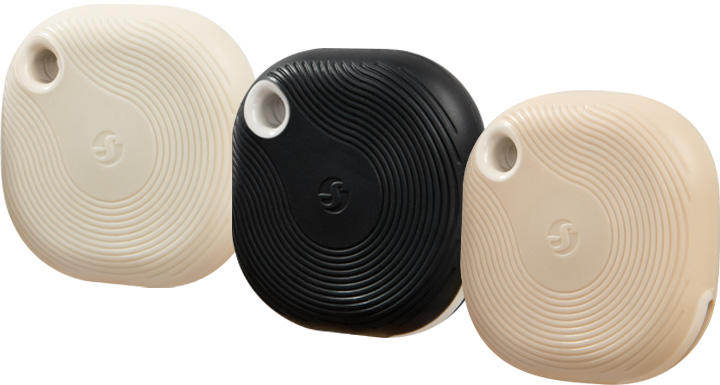
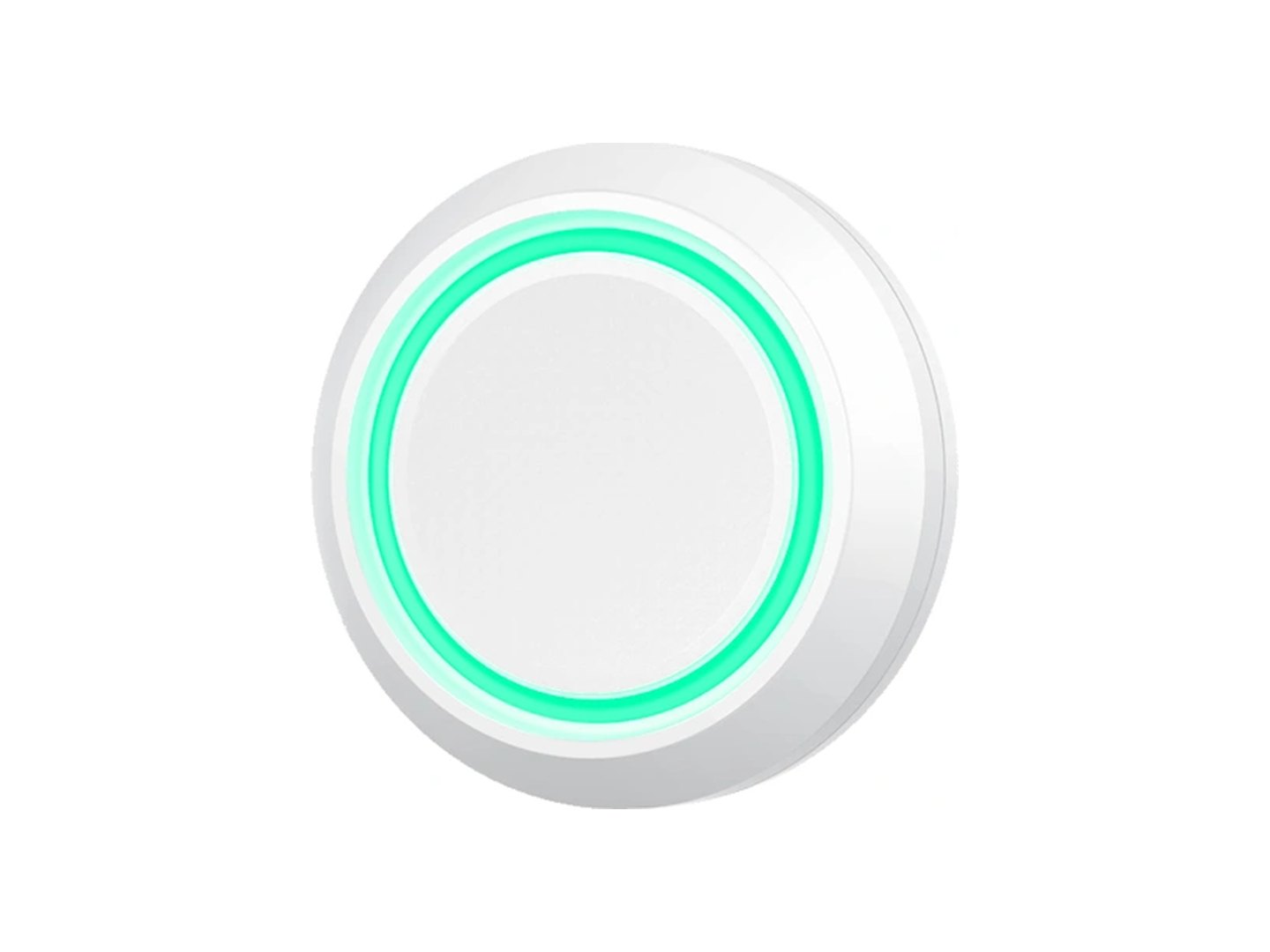
Two wireless panic buttons. One press, and every screen locks down.
A key fob button to carry with you, and a panic button fixed where a hand can reach it unseen. Press either one and every PC, screen and phone running Lockdown Alert at your site shows the lockdown, with sound. No hub and no wiring: the buttons use Bluetooth, and any nearby PC, screen, tablet or phone with the Lockdown Alert app installed picks up the press. £45 each excluding VAT, less when you buy more. Posted within 2 working days.
To carry
Key fob button
On your keys, a lanyard or in a pocket: on playground duty, out on the field, on a trip or walking the corridors. Tough enough to be dropped, rained on and carried every day.
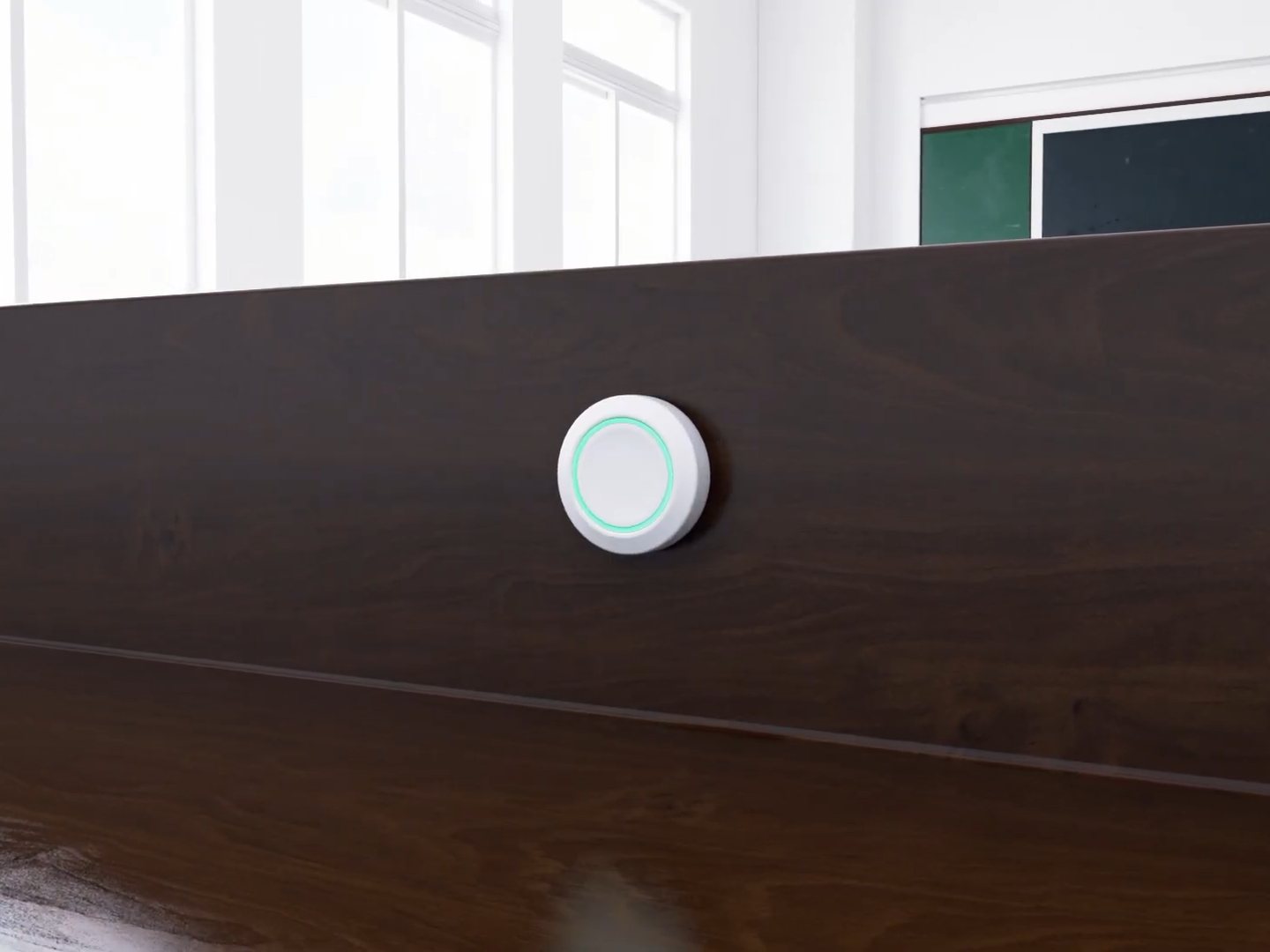
Under the reception desk, in the head's office or beside the main door. A large round button that a hand finds without looking, so staff can start a lockdown without anyone noticing.
Press a button and it sends a Bluetooth signal. Every PC, screen, tablet and phone nearby with the Lockdown Alert app installed is listening out for it, and the app that hears it starts the alert on every screen at your site. Nothing to plug in, no Wi-Fi to set up and no hub to buy.
The panic button fixed to a desk. The key fob button goes wherever you do.
How it works
Put it where it is needed. Stick the panic button under the reception desk or beside the door. Clip the key fob button to your keys or lanyard. No wiring, no hub, battery included.
Add it in your dashboard. Each button comes in its own packet with a card. Scan the card's code, or type the button ID and key, under Devices, then Panic buttons. Buttons we set up for you are already there.
Press once to confirm. The first press runs as a test so you can see it land. From then on, every press is live.
What each press does
Single clickReal alert
Double clickDrill
Triple clickAll clear
Long hold (2 seconds)Clear screens
You can change any of these for any button in your dashboard.
This is the product page for the button itself: prices, colours and the order form. For how the whole system works in an office, surgery, care home or warehouse, read the panic button alarm system for business explainer.
Specifications
Two shapesKey fob: 42 mm square, 15 g. Panic button: 48 mm round, 20 g
Battery includedKey fob: coin cell, up to 2 years. Panic button: replaceable battery
No hubBluetooth: any device nearby with the Lockdown Alert app hears the button
EncryptedPaired to your site. A look-alike button bought elsewhere is ignored
Both buttons work with every Lockdown Alert app: Windows, Mac, Android, iPhone and Chrome, and both have the same four presses. A button needs an app awake within range: the key fob button reaches about 10 m indoors and up to 30 m outside. Outside, or in a room with no PC, the member of staff carrying the key fob button keeps their phone with the iPhone or Android app with them, and the press reaches the whole site through it. Both work from −20 °C to 60 °C. The key fob button is shock, water and dust resistant; the panic button is for indoors and wipes clean.
Encrypted and paired to your site
Each press carries a code that only that button and your dashboard know, so a similar button bought elsewhere cannot start a lockdown, call a drill or clear one.
Prices
The same prices for both buttons, by the number of buttons on your order, panic buttons and key fobs together.
Quantity
Price per button
1 to 4
£45
5 to 9
£40
10 to 24
£35
25 or more
£30
Delivery £4.95 per order, Royal Mail, UK only. Prices exclude VAT, which is added at checkout. Pay by card. Buttons work with any Lockdown Alert licence; if you do not have one yet, start a free trial first.
Order
Questions people ask
How do I set a button up?
Sign in to your portal, open Devices, then Panic buttons, and click Add button. Scan the code on the card in the packet, or type the button ID and key from it, choose the site, and save. Then press the button once: that first press runs as a test. If you asked us to set the buttons up for you, they are already in your portal and only need that one press.
Could a pupil buy a similar button and set one off?
No. Every button is encrypted and paired to your site when it is added to your dashboard, and each press carries a code that only that button and your dashboard know. A look-alike button bought online is ignored by every Lockdown Alert app, so nobody can start a lockdown, call a drill or clear one with a button of their own. If a button is lost, remove it in your dashboard and it stops being heard.
What about corridors and the playground?
The button talks to the nearest Lockdown Alert app, so staff outside, or in a room with no PC, carry their phone with the iPhone or Android app. The phone hears the press and the whole site alerts. Any Windows PC, Mac, Android device, iPhone or Chromebook running Lockdown Alert within about 10 metres will do.
How many do I need?
Most sites start with a panic button at reception and in the head's office, and one beside each main door, then add one per department or floor. Staff on duty outside each carry a key fob button. You can add more later at the same prices, by quantity on each order.
When will they arrive?
Orders are posted within 2 working days by Royal Mail, UK only. We e-mail you when they are on their way.
What if I am not a customer yet?
Buttons work with any Lockdown Alert licence or trial. Start a free trial first so there is a portal to add them to, then order here.
How long does the battery last?
The key fob button runs for up to two years on one coin cell, and the panic button has a replaceable battery. Both batteries are included. Your dashboard shows each button's battery level and when it was last heard.
Which button should I choose?
The panic button for places where a member of staff sits or stands: reception, the office, beside a door. It stays put and is quick to find without looking. The key fob button for people on the move: playground duty, the field, trips and corridors. Many sites have both, and every button on an order counts towards the price break.
Not a customer yet?
30 days, 25 devices, every integration. No card needed.